
Automated Appointment Reminder Calls with AI
No-show rates by industry, timing strategy, and two-way confirm and reschedule flows.
Utkarsh Mohan•Mar 31, 2026
Script examples for appointment confirmation calls, including voicemail and reschedule versions, plus when to place each call, what the call must do beyond reading a time, and how to automate it with compliance checks.
Utkarsh Mohan
Published: Nov 16, 2026
An appointment confirmation call is a short call placed a day or two before a booking to get one answer from the customer: are you still coming? Done well, it recovers the slot when the answer is no and removes doubt when the answer is yes. Done badly, it is a recorded message nobody listens to. This guide covers when to place the call, script examples you can adapt, what the call has to do besides read out a time, and how to automate it without losing the human touch.
If you want the product that places these calls, Ringlyn's automated appointment reminder calls page covers confirm, cancel and reschedule on the call. For clinics specifically, the automated patient reminder calls playbook adds the privacy rules.
A reminder tells the customer about an appointment. A confirmation asks them to commit to it. The difference is the question at the end of the call: a reminder can be a one-way message, but a confirmation call needs an answer, and what happens next depends on that answer.
That branching is why a confirmation call is worth a call rather than a text. A text puts the work back on the customer, and many never reply. A call that can reschedule on the spot turns a likely no-show into a moved appointment.
Timing matters more than script polish. Call too late and the slot cannot be refilled. Call too early and the customer forgets again. Most businesses settle on a pattern like this one, adjusted for how far ahead their appointments are booked:
| Touch | When | Purpose |
|---|---|---|
| First confirmation call | 2 to 3 days before | Early enough to refill a cancelled slot |
| Second attempt | The day before, for anyone not yet confirmed | Catch people who missed the first call |
| Text | The morning of the appointment | A last nudge with the address and a reschedule link |
| Same-day call | Only for high-value or long appointments | Final check where a no-show is expensive |
Call during hours when people tend to answer, and respect quiet hours in the customer's time zone. For appointments booked less than two days out, a single confirmation call or text at booking time is usually enough.
These scripts are starting points. Keep the wording short, say the business name first, and ask one question at a time. Replace the bracketed parts with your own details.
"Hello, this is [Business name] calling for [Customer first name]. I'm calling to confirm your appointment on [day] at [time]. Can you make it?"
"Hi, this is [Business name] with a call for [Customer first name] about an upcoming appointment. Please call us back on [number] to confirm." Keep it to the business name, a callback number and a request to call back. Leave the service type, price and any personal details out, because voicemail can be heard by anyone.
"Hello, I'm calling from [Business name] for [Customer first name]. Is this a good time to speak with them?" If the person is not available, ask for a callback and do not give appointment details. This matters most for medical, legal and financial appointments.
"I can move that for you now. What day works best? I have [option one] on [day] or [option two] on [day]." Confirm the new time back to the customer, then say the old slot is released. The call should end with one confirmed time, not a promise to call back.
A script is the easy part. The calls that save appointments do four other things:
This is where a recorded robocall falls short. It can read a time but it cannot take a reschedule, so the customer still has to call you back, which is the step many skip.
| Staff calling by hand | One-way recorded call | Conversational automated call | |
|---|---|---|---|
| Cost to cover every appointment | Staff hours every day | Low | Per-call or per-minute fee |
| Takes a reschedule on the call | Yes | No | Yes |
| Calls outside office hours | No | Yes | Yes |
| Consistent wording on every call | Varies by person | Yes | Yes |
| Writes the result to the schedule | Manual entry | Sometimes | Yes, when integrated |
| Handles questions | Yes | No | Common questions, with transfer for the rest |
Manual calling works while volume is small. It breaks when the person making the calls is also the person answering the front desk, which is exactly when confirmations stop happening. Automation takes over the repetitive calls and leaves staff for the ones that need judgment.
Automated and prerecorded calls are regulated, and the rules differ by country, state and type of business. Before you switch on automated confirmation calls, check these with your own counsel:
The TCPA compliance guide for AI voice agents sets out the US rules in more detail. This article is general information, not legal advice.
Ringlyn handles each of these in a no-code builder, with SMS fallback for unanswered calls. See automated appointment reminder calls for the full workflow, or how AI sends reminders by voice and SMS for the channel trade-offs. If you are still choosing software, our guide to the automated appointment reminder service market lists the questions to ask each vendor.
Compare against your own baseline, not an industry average. Your no-show rate depends on the service, how far ahead people book and how much they pay. Track the same numbers for four to six weeks before you decide whether the program is working.
A good appointment confirmation call asks one question, handles every answer on the same call, and writes the result back to the schedule. Place it two to three days out, keep voicemail to a name and a callback number, and automate it once the manual version proves the script works. The fastest way to see the difference is to listen to a live call that reschedules, which is what a conversational reminder call service does.
An appointment confirmation call is a call made shortly before a booking to confirm the customer is still coming. Unlike a one-way reminder, it asks for an answer and acts on it: it marks the appointment confirmed, moves it to a new time, or cancels it and frees the slot.
Most businesses call two to three days before the appointment, so a cancellation can still be refilled, then try again the day before for anyone who has not confirmed. A text on the morning of the appointment works as a final nudge. Adjust the pattern to how far ahead your customers usually book.
Keep it to the business name, who the call is for, a callback number and a request to call back about an upcoming appointment. Leave out the service type, price and any personal details, because voicemail can be heard by someone other than the customer.
A reminder call tells the customer about the appointment. A confirmation call asks them to commit to it and acts on the reply. In practice many businesses use one call that does both, as long as the customer can confirm, cancel or reschedule during it.
Yes. An automated system reads the schedule, calls each customer, handles the confirm, cancel or reschedule reply, and writes the result back to the calendar. Conversational voice agents can answer simple questions and transfer to staff for the rest. Check consent, calling-hour and disclosure rules for your location before you start.
They can be, but the rules depend on where you and the customer are, what the call says and how consent was obtained. Automated and prerecorded calls are regulated in many places, with extra limits for healthcare and financial services. Confirm the requirements with your own legal advisor before launching.
No-show rates by industry, timing strategy, and two-way confirm and reschedule flows.

Channel choice, DNC compliance, and why a conversational reminder that reschedules beats a one-way notification.
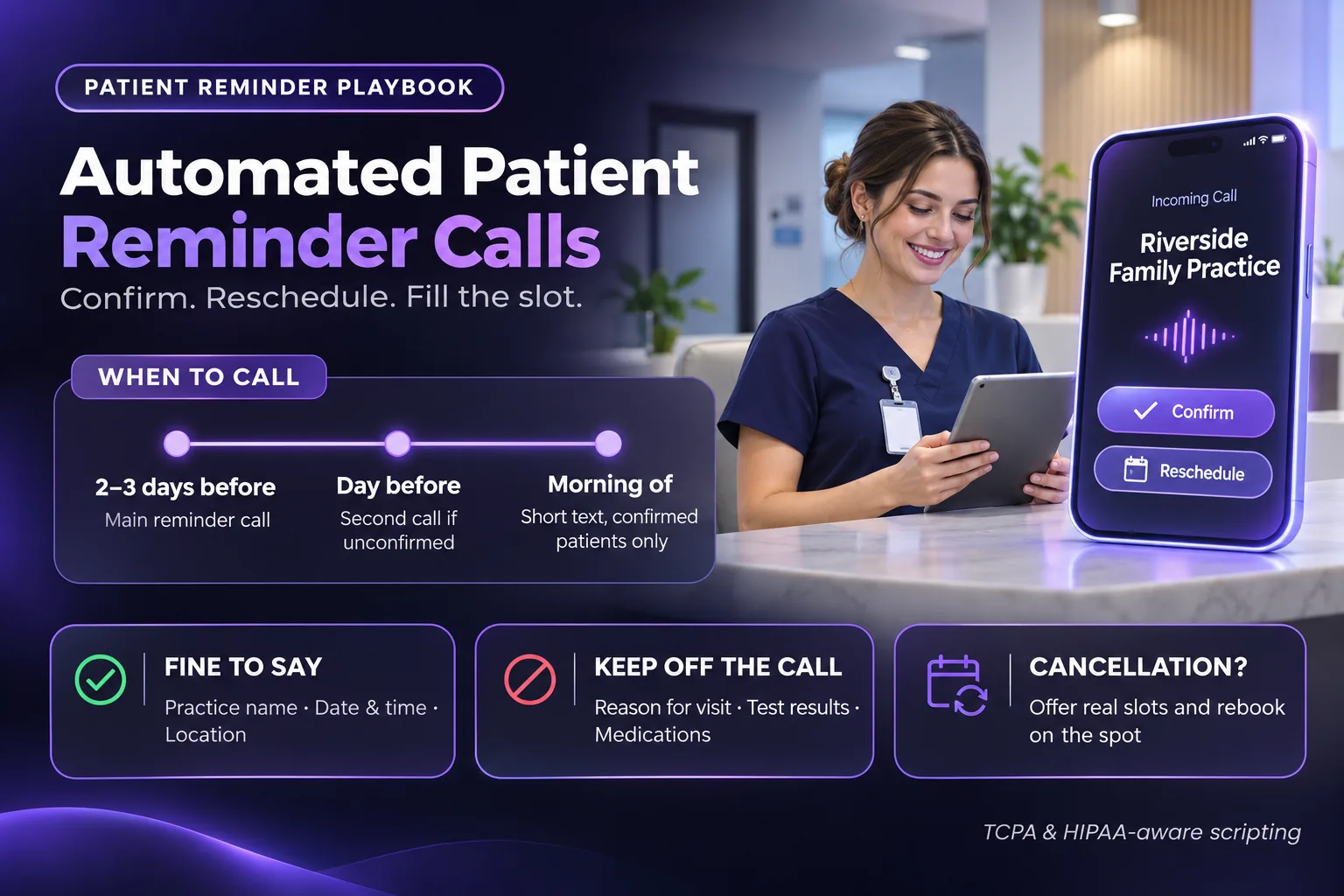
Scripts, timing and privacy rules for patient reminder calls.